
Video Editing Computers
A good video editing computer turns hours of waiting into minutes. Our range is built for Premiere Pro, DaVinci Resolve, After Effects and CapCut, with fast multi-core processors, NVIDIA graphics, plenty of memory and quick NVMe storage. Every system is custom built in Melbourne, tested and delivered Australia-wide.
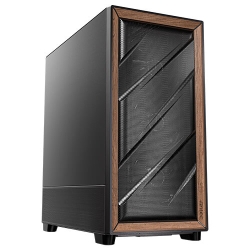
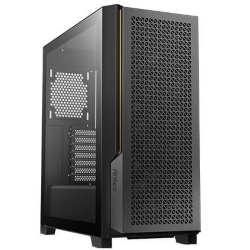
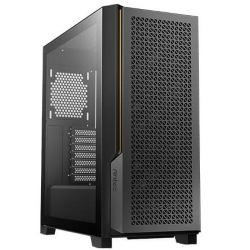
PHOTO EDITING COMPUTERS
PC for Video Editing
i7-14700KF, 32GB, 3TB SSD
- CPU
- Core i7-14700KF
- GPU
- RTX 5060
- RAM
- 32GB
- SSD
- 1TB NVMe
$3,375 $4,500
GAMING COMPUTERS
Ultra 7 PC
Intel Core Ultra 7 265KF + RTX 5060
- CPU
- Core Ultra 7 265KF
- GPU
- 8GB RTX 5060
- RAM
- 32GB DDR5
- SSD
- 1TB NVMe
$2,924 $3,899
CAD COMPUTERS
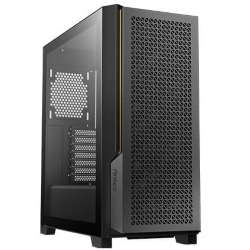
Ultra 9 AI PC
Intel Core Ultra 9 285 with NPU
- CPU
- Core Ultra 9 285
- GPU
- 8GB RTX 5060
- RAM
- 32GB DDR5
- SSD
- 1TB NVMe
$3,749 $4,999
What video editing needs from a computer
Editing video uses every part of a system at once. The processor decodes footage, applies effects and handles exports. The graphics card accelerates playback, colour grading, noise reduction, AI tools and hardware encoding. Memory decides how smoothly long timelines and multicam edits play, and storage speed affects how quickly footage loads and scrubs.
That is why a gaming PC or office computer is not always the right choice. A dedicated editing PC balances all four, so you get smooth previews while you work and fast exports when you are done.
Choose your video editing computer
For YouTube, social and 4K projects
The PC for video editing is our go-to recommendation. It pairs a 20-core Intel i7-14700KF with an NVIDIA RTX graphics card, 32GB of RAM and two fast Kingston SSDs, one for your system and apps and a 2TB drive for media, with liquid cooling to keep long exports quiet.
For heavier effects and faster exports
The i9 PC steps up to a 24-core Intel i9-14900K with a 16GB RTX 5060 Ti, 32GB of DDR5 that can be expanded to 128GB, and graphics options up to an RTX 5080.
For AI-assisted editing
If you lean on AI features such as auto-reframe, transcription, speech enhancement and generative tools, the Core Ultra 9 AI PC combines a 24-core processor and NPU with NVIDIA graphics and up to 128GB of memory.
Balanced all-rounders
The Ultra 7 PC and AMD Ryzen PC are excellent if you edit alongside office work, design or gaming, with upgrade options for more cores, memory and graphics power.
How to choose a computer for video editing
Processor
More cores mean faster exports and smoother playback with effects. For 1080p and 4K editing, a modern 20-core processor such as the i7-14700KF is a great choice. For long 4K projects, 6K and 8K footage or heavy After Effects work, a 24-core i9 or Core Ultra 9 is worth the upgrade.
Graphics card
NVIDIA graphics accelerate Premiere Pro and DaVinci Resolve effects, colour work and exports through CUDA and the NVENC encoder. An RTX 5060 is a good start for 1080p and 4K, while an RTX 5070, 5070 Ti or 5080 gives more performance and video memory for grading, noise reduction and AI tools. You can compare the cards on NVIDIA’s GeForce RTX 50 Series page.
Memory
32GB of RAM is enough for most 1080p and 4K projects. Choose 64GB for long timelines, multicam and After Effects, and 128GB for 8K or very complex compositions.
Storage
Use separate drives where possible: one SSD for Windows and apps, and a second fast NVMe SSD for footage, cache and projects. Add a large hard drive or NAS for archives and backups.
Why your current computer struggles
Stuttering playback, dropped frames, a sluggish timeline, long waits for previews to render and exports that take longer than the video itself are the most common complaints we hear. They usually come down to an older processor with too few cores, a graphics card without modern encoders, 16GB of RAM or less, or footage stored on a slow or nearly full drive.
Modern cameras and phones record in 4K, 10-bit and high-efficiency codecs that are much harder to decode than older footage. A current computer for video editing has the hardware decoders, cores and memory to handle them smoothly, so you can edit at full quality instead of relying on proxies for everything.
Desktop or laptop for editing?
Laptops are convenient for quick edits on the road, but a desktop editing PC gives you far more performance for the money. Desktop components run at full speed for longer without overheating, which matters during long exports. You can connect larger, colour-accurate monitors, add more drives as your library grows, and upgrade the graphics card or memory later. If you edit regularly, a desktop video editing computer is the better long-term investment.
Recommended setups for different editors
YouTubers and social media creators
Short, frequent edits in 1080p or 4K, with titles, music and some effects. Our PC for video editing with 32GB of RAM is ideal, and it streams well too.
Wedding and event videographers
Long multicam timelines in 4K, colour grading and audio sync. Choose 64GB of RAM, a faster graphics card such as an RTX 5070 Ti, and plenty of fast storage, or step up to the i9 PC.
Motion designers and colourists
After Effects, Fusion and heavy grading benefit from a 24-core processor, 64GB to 128GB of RAM and an RTX 5080, which our i9 PC and Core Ultra 9 AI PC can both be configured with.
The best computer for video editing depends on your footage
There is no single best computer for video editing for everyone. A wedding videographer cutting long multicam ceremonies in 4K needs a different balance to a YouTuber editing short clips, or a motion designer working in After Effects. Tell us the cameras you shoot with, the codecs you edit, the software you use and how long your projects are, and we will recommend the right setup.
Built in Melbourne for Australian creators
Every video editing computer we sell is assembled by hand in our Melbourne workshop. We enable memory profiles, install Windows 11 and NVIDIA Studio drivers, and stress test each system under full load. It arrives ready for you to install your editing software and start cutting.
Delivery usually takes one to three working days once your system has been built and tested, and our team is available by email if you need help with setup, moving projects from your old machine, or planning upgrades down the track.
Need a custom editing PC?
If you need more storage, a particular graphics card or a system for a whole studio, email us your spec and we will put together a quote. You can also browse our wider range of workstation PCs.
Video editing questions answered
Is a gaming PC good for video editing?
Many gaming PCs edit video well because they have strong processors and NVIDIA graphics. A dedicated editing PC adds more memory, a second drive for media and cooling designed for long exports.
How much RAM does a video editing computer need?
32GB suits most 4K editing. Choose 64GB or more for long timelines, multicam, After Effects or 8K.
Can I upgrade my editing PC later?
Yes. Our systems use standard parts, so you can add memory, extra SSDs or a faster graphics card as your projects grow. Many upgrades can also be selected when you order, which saves you opening the case later.
Intel or AMD for video editing?
Both work very well. Intel processors with many cores are excellent for Premiere Pro, and AMD Ryzen 9 chips are strong for exports and rendering. When choosing a computer for video editing, remember that the graphics card and memory matter just as much as the processor brand.