
Trading Computers
Our trading computers are built for one job: keeping your charts, data and orders fast and reliable across several screens, all day. Whether you trade ASX shares, forex, futures or crypto, every system is custom built in Melbourne, tested on every display output and delivered anywhere in Australia.
TRADING COMPUTERS
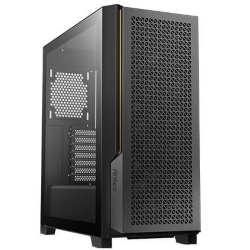
Share Trading Computer
i7-14700F, 4 Monitor Ready
- CPU
- Core i7-14700F
- GPU
- 8GB RTX 5050
- RAM
- 16GB
- SSD
- 1TB NVMe
$2,249 $2,999
TRADING COMPUTERS
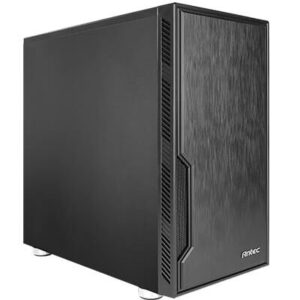
Trading PC
Core Ultra 7 265F, 32GB DDR5, Up to 8 Screens
- CPU
- Core Ultra 7 265F
- GPU
- 8GB RTX 5050
- RAM
- 32GB DDR5
- SSD
- 1TB NVMe
$2,924 $3,899
CAD COMPUTERS
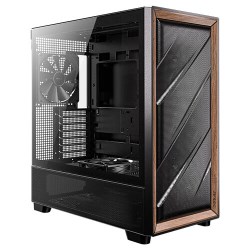
Ultra 9 AI PC
Intel Core Ultra 9 285 with NPU
- CPU
- Core Ultra 9 285
- GPU
- 8GB RTX 5060
- RAM
- 32GB DDR5
- SSD
- 1TB NVMe
$3,749 $4,999
What makes a good computer for trading
Trading platforms look simple, but they work hard behind the scenes. Live price feeds, dozens of charts and indicators, scanners, market depth, news and order windows all update in real time. When the market moves quickly, any lag or freeze can cost money.
A good computer for trading has a fast, modern processor, plenty of memory, a graphics setup that can drive several monitors cleanly, quick SSD storage and a wired network connection. Just as importantly, it needs to be quiet and stable, because it may run for ten or more hours a day.
Our trading range
Four screens for share traders and investors
The share trading computer runs four monitors out of the box with an 8GB RTX 5050, powered by a 20-core Intel i7-14700F with 16GB of RAM. It is ideal for ASX traders and investors moving to a proper multi-screen setup, and a 4 monitor arm can be added when you order.
Up to eight screens for active traders
The trading PC uses an Intel Core Ultra 7 265F, 32GB of DDR5 and a 1TB Gen 4 SSD, driving four monitors as standard. Dual RTX 5060 or RTX 5060 Ti options support up to eight screens, and memory can be upgraded to 128GB for heavy backtesting.
Up to twelve screens and heavy analysis
For large screen walls, quantitative work and heavy backtesting, the i9 PC pairs a 24-core i9-14900K with 32GB of DDR5 and offers 8-monitor and 12-monitor graphics options. The Core Ultra 9 AI PC is another powerful choice, with up to 128GB of memory and dual graphics for eight screens.
How to choose a trading computer
How many screens?
Start with your monitor count. Two to four screens suit most share traders and investors. Six to eight suit active day traders who watch several markets or timeframes, and larger walls are for professional desks. Make sure the graphics card has enough outputs for every screen without adapters.
Processor
Most trading platforms rely on fast single-core speed, with extra cores helping when you run several platforms, scanners, a browser and video calls at once. A modern Intel i7 or Core Ultra 7 is plenty for most traders; an i9 or Core Ultra 9 suits heavy backtesting and algorithmic work.
Memory
16GB is fine for a single platform and a few charts. 32GB is the sweet spot for most active traders, and 64GB or more helps if you keep lots of tick data in memory or run complex backtests.
Network
Always use a wired Ethernet connection for live trading. It is faster and far more stable than Wi-Fi. Our systems include Gigabit or 2.5Gb Ethernet, with Wi-Fi available as a backup.
Noise and reliability
You will sit next to your trading computer for hours, so it should be quiet. Our systems use high performance air coolers or liquid cooling, quality fans and professional cases without distracting lighting.
Setting up a multi-screen trading desk
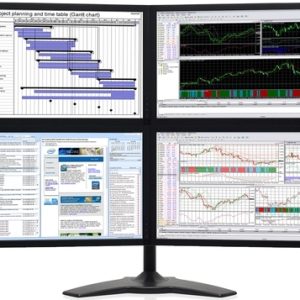
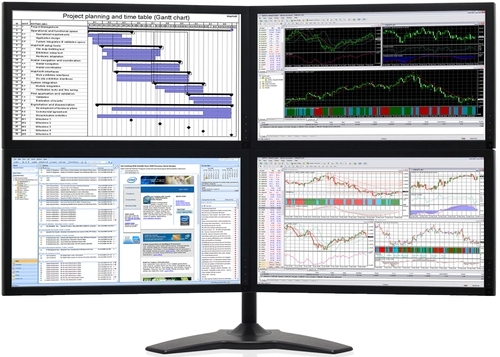
A tidy, well-planned desk makes long sessions easier. Most traders use monitors of the same size and resolution so charts line up neatly, mounted on a monitor arm to free up desk space. A common four-screen layout puts charts across the top row and watchlists, order entry and news along the bottom.
Plug every monitor into the graphics card rather than the motherboard, then arrange them in Windows display settings so your mouse moves naturally between screens. Save your platform workspaces once everything is in place, so you can restore your layout instantly. If you are unsure how to set up your trading computer, email us and we will talk you through it.
Why not trade on a laptop?
A laptop is fine for checking positions on the go, but it makes a poor main computer for trading. Most laptops can only drive one or two external screens reliably, their processors slow down when they get hot, and their small keyboards and screens are tiring over a full session. A desktop gives you more screens, more performance and better reliability for the same money.
Keeping your trading computer secure
Your trading computer has access to your brokerage accounts, so security matters. We recommend keeping it separate from everyday family use, using a password manager and two-factor authentication with every broker, and keeping Windows updated. Windows 11 Professional adds BitLocker drive encryption, and internet security software is available as an option when you order. Back up your platform settings and trading journal regularly.
Platforms we build for
Our systems run all the popular Windows trading platforms smoothly, including CommSec Pro, CMC Markets, SelfWealth, Interactive Brokers TWS, IG, Saxo, MetaTrader 4 and 5, NinjaTrader, TradingView, ThinkOrSwim and MotiveWave. If you use a specialised platform or data feed, tell us and we will check its requirements before recommending a build. You can find more about one popular charting platform on the MotiveWave website.
Trading computers Australia traders can rely on
Every system is built by hand in our Melbourne workshop. We install Windows 11 and the latest drivers, test every display output, and stress test the processor and graphics before shipping. We deliver trading computers Australia-wide, usually within one to three working days once your system has been built and tested, and our team is happy to help by email if you need a hand setting up your screens.
Need a custom setup?
If you need a specific number of screens, a matching set of machines for a trading desk, or extra memory and storage for historical data, email us your spec and we will quote it. You can also browse our wider range of workstation PCs.
Trading questions answered
Do I need a gaming graphics card for trading?
Not for performance, but modern GeForce cards are an affordable way to get four outputs with stable drivers. Dual-card setups give you eight or more screens.
Which trading computer should I choose?
If you trade shares on up to four screens, the share trading computer is the best value. If you day trade across several markets, want more memory or plan to run six to eight screens, choose the trading PC. For screen walls, heavy backtesting or algorithmic trading, the i9 PC gives you the most power. Tell us how you trade and we will recommend the right setup.
Is Wi-Fi okay for trading?
We strongly recommend Ethernet for live trading, because it is faster and far less likely to drop out at a critical moment. Wi-Fi is fine as a backup or for a secondary computer.
How many monitors can your trading computers run?
Our share trading computer runs four as standard. The trading PC supports up to eight with dual graphics, and the i9 PC offers a 12-monitor graphics option for large screen walls.
Can I use my existing monitors?
Yes. Our systems use DisplayPort and HDMI outputs, which work with almost all modern monitors. Older monitors may need an inexpensive adapter.