
Photo Editing Computers
The right photo editing computer makes culling, editing and exporting a shoot feel effortless. Our range is built for Lightroom Classic, Photoshop, Capture One, Affinity Photo and DxO, with fast processors, plenty of memory, NVIDIA graphics for AI tools and quick NVMe storage. Every system is custom built in Melbourne and delivered anywhere in Australia.
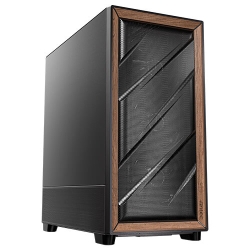
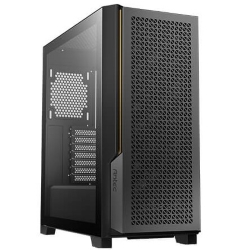
PHOTO EDITING COMPUTERS
PC for Photo Editing
Core Ultra 7 270K Plus, 32GB DDR5
- CPU
- Core Ultra 7 270K Plus
- GPU
- 8GB RTX 5060
- RAM
- 32GB DDR5
- SSD
- 1TB NVMe
$2,999 $3,999
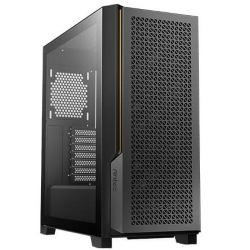
PHOTO EDITING COMPUTERS
PC for Video Editing
i7-14700KF, 32GB, 3TB SSD
- CPU
- Core i7-14700KF
- GPU
- RTX 5060
- RAM
- 32GB
- SSD
- 1TB NVMe
$3,375 $4,500
CAD COMPUTERS
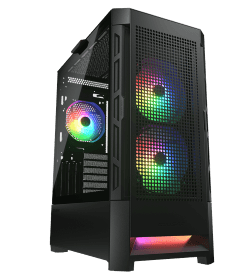
Ultra 9 AI PC
Intel Core Ultra 9 285 with NPU
- CPU
- Core Ultra 9 285
- GPU
- 8GB RTX 5060
- RAM
- 32GB DDR5
- SSD
- 1TB NVMe
$3,749 $4,999
What photo editing needs from a computer
Photo editing looks less demanding than video, but modern cameras produce huge RAW files, and today’s editing tools lean heavily on AI. Importing a wedding or event shoot, building previews, running AI Denoise, masking subjects and exporting hundreds of images all push a computer hard.
A good computer for photo editing needs fast processor cores for imports, previews and exports, enough RAM for large and layered files, a modern graphics card for AI features and GPU-accelerated adjustments, and fast storage for big catalogues. It should also be quiet, because you will spend long hours next to it.
Choose your photo editing computer
For most photographers
The PC for photo editing is built specifically for Lightroom and Photoshop. It uses an Intel Core Ultra 7 270K Plus with speeds up to 5.5GHz, an NVIDIA RTX 5060, 32GB of DDR5 and a fast Kingston Gen 4 SSD, with support for four monitors and options for up to 128GB of RAM.
For photographers who also shoot video
If you create reels, wedding films or YouTube content as well as stills, the PC for video editing adds a 20-core processor and a second 2TB SSD for media.
For AI-heavy workflows and large files
If you use generative tools, AI masking and Denoise on every image, or work on very large composites, the Core Ultra 9 AI PC and AMD Ryzen PC offer more cores, more memory and faster graphics options.
How to choose a computer for photo editing
Processor
Lightroom uses multiple cores for imports, previews and exports, while many Photoshop tasks favour fast single-core speed. A modern Intel Core Ultra 7 or Core Ultra 9 offers both. If you mostly edit a few images at a time, a Core Ultra 7 is plenty; for high-volume event work, extra cores make batch tasks noticeably faster.
Memory
32GB of RAM is the sweet spot for most photographers. Choose 64GB if you work with high-resolution cameras, large panoramas, focus stacks or Photoshop files with many layers, and 96GB or 128GB for very large print and composite work.
Graphics card
Lightroom and Photoshop now use the graphics card for AI Denoise, Select Subject, Generative Fill previews, Camera Raw and many adjustments. An NVIDIA RTX card speeds these up considerably. An RTX 5060 is a great start; choose an RTX 5070 or 5070 Ti if you run Denoise on large batches.
Storage
Keep Windows, your apps and your Lightroom catalogue on a fast NVMe SSD. Store your image library on a second SSD for current projects, and use a large hard drive or NAS for archives and backups.
Monitors
A colour-accurate monitor matters as much as the computer. Our systems support three or four monitors through DisplayPort and HDMI, and work with all popular photo editing displays and calibration tools.
The best PC for Photoshop
If Photoshop is your main tool, prioritise fast single-core speed, plenty of RAM and a capable graphics card. A good PC for Photoshop should open large files quickly, keep brushes and Liquify responsive, and handle Neural Filters and Generative Fill without long waits. Our PC for photo editing ticks all of these boxes, and with 64GB of RAM it handles big layered files and composites with ease.
Why your current computer feels slow
If Lightroom lags when you move between images, sliders feel sticky, or AI Denoise takes minutes per photo, the cause is usually an older processor, too little RAM, an old graphics card or a nearly full drive. Newer cameras with 45MP to 60MP sensors make these problems worse. A modern photo editing computer fixes them, so you can spend your time editing rather than waiting.
Photo editing computers built for Australian photographers
Every photo editing computer is hand-built in our Melbourne workshop, with memory profiles enabled, Windows 11 and NVIDIA Studio drivers installed, and a full stress test before it ships. We deliver to every state and territory, usually within one to three working days once your computer has been built and tested.
Our systems suit wedding, portrait, product, landscape and real estate photographers, as well as designers and keen hobbyists. If you need help choosing or setting up, our team is just an email away.
Laptop or desktop for photographers?
A laptop is handy for tethered shooting and quick edits on location, but a desktop is the better home base. It is faster for the money, stays quiet during long batch exports, connects to larger colour-accurate monitors and is easy to upgrade with more memory and storage as your archive grows. Many photographers use a laptop in the field and a desktop photo editing computer in the studio, syncing their catalogue between the two.
Setting up for accurate colour
Once your new system arrives, calibrate your monitor with a hardware calibrator and set your display to sRGB or Adobe RGB to match your work. In Lightroom, enable GPU acceleration in Preferences and store your catalogue and previews on the main SSD. In Photoshop, give it a generous share of RAM and set the scratch disk to a fast NVMe drive. These simple steps help any PC for Photoshop and Lightroom feel faster and more consistent.
Need a custom computer for photo editing?
If you want more storage, a particular graphics card or a system matched to your camera and workflow, email us your spec and we will quote it. You can also browse our wider range of workstation PCs.
Photo editing questions answered
Is a Mac or PC better for photo editing?
Both work well. A Windows PC gives you more performance for the money, easier upgrades and a wider choice of graphics cards and monitors, and Lightroom, Photoshop and Capture One run equally well on both platforms.
How much RAM do photo editing computers need?
32GB suits most photographers. Choose 64GB or more for large files, panoramas, focus stacks and heavy Photoshop work.
Does the graphics card matter for Lightroom?
Yes. Lightroom uses the GPU for AI Denoise, masking and many adjustments, so an NVIDIA RTX card makes a real difference.
Can I add more storage later?
Yes. Most systems have room for extra SSDs and hard drives, and you can add them when you order.
Which photo editing computer should I choose?
For most photographers, our PC for photo editing is the right choice. If you also edit a lot of video, choose the PC for video editing. If you use AI tools on every image or work with very large files, the Core Ultra 9 AI PC gives you the most headroom. Still unsure? Email us with your camera, software and typical shoot size, and we will point you in the right direction.
For more about the processors in these systems, see Intel’s Intel Core Ultra Series 2 page.