
Desktop PCs
Looking for a new desktop PC? Every system in our range is custom built in Melbourne with current-generation parts, tested before it ships and delivered anywhere in Australia. From quiet home office machines to creative workstations and high-end gaming rigs, you will find a computer here for the way you work and play.
GAMING COMPUTERS
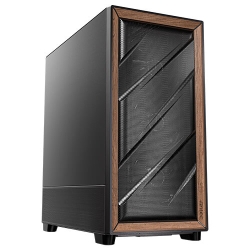
Best AMD Gaming PC
Ryzen 7 9850X3D, Built to Upgrade
- CPU
- Ryzen 7 9850X3D
- GPU
- RTX 5060
- RAM
- 32GB DDR5
- SSD
- 1TB NVMe
$3,374 $4,499
GAMING COMPUTERS
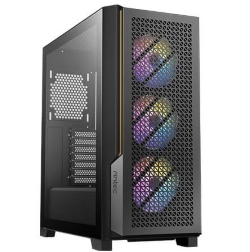
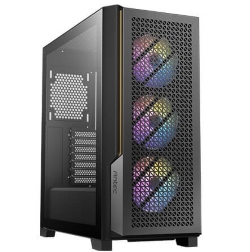
Best Gaming PC
Ryzen 7 9850X3D + RTX 5070
- CPU
- Ryzen 7 9850X3D
- GPU
- 12GB RTX 5070
- RAM
- 32GB DDR5
- SSD
- 1TB NVMe
$3,749 $4,999
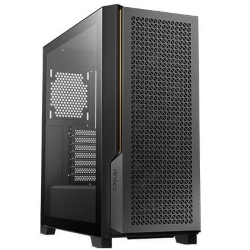
CAD COMPUTERS
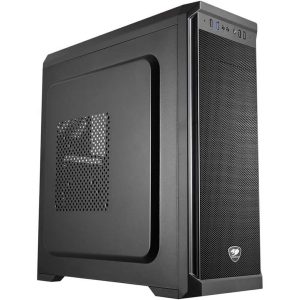
CAD Workstation
Core Ultra 7 270K Plus with RTX PRO Options
- CPU
- Core Ultra 7 270K Plus
- GPU
- 8GB RTX 5060
- RAM
- 32GB DDR5
- SSD
- 1TB NVMe
$2,924 $3,899
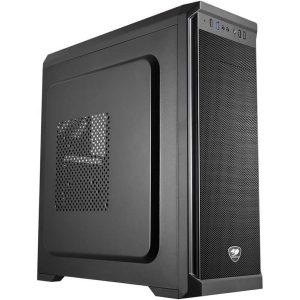
GAMING COMPUTERS
Cheap Gaming PC
i5-14400F + RTX 5050
- CPU
- Core i5-14400F
- GPU
- 8GB RTX 5050
- RAM
- 16GB DDR4
- SSD
- 1TB NVMe
$1,349 $1,799
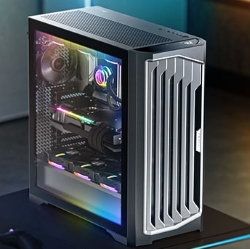
GAMING COMPUTERS
Fastest 4K Gaming PC
i9-14900KF + RTX 5090, 64GB DDR5
- CPU
- Core i9-14900KF
- GPU
- 32GB TUF Gaming RTX…
- RAM
- 64GB DDR5
- SSD
- 2TB NVMe
$7,499 $9,999
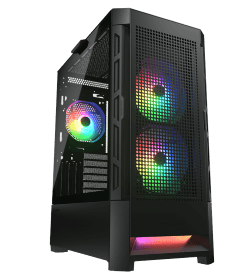
GAMING COMPUTERS
Gaming Desktop
RTX 5070 12GB + i5-14400F
- CPU
- Core i5-14400F
- GPU
- 12GB RTX 5070
- RAM
- 16GB DDR4
- SSD
- 1TB NVMe
$2,249 $2,999
GAMING COMPUTERS
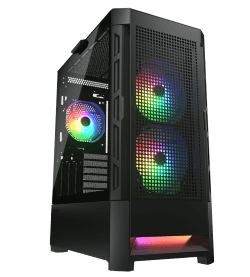
Gaming Pro
RTX 5070 Gaming PC
- CPU
- Core i7-14700F
- GPU
- 12GB RTX 5070
- RAM
- 32GB DDR5
- SSD
- 1TB NVMe
$3,599 $4,799
GAMING COMPUTERS
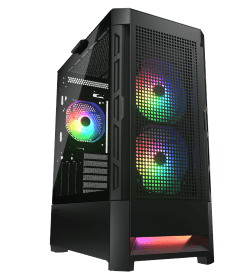
GeForce Gaming PC
RTX 5060 + i5-14400F
- CPU
- Core i5-14400F
- GPU
- 8GB RTX 5060
- RAM
- 16GB
- SSD
- 1TB NVMe
$2,249 $2,999
OFFICE COMPUTERS
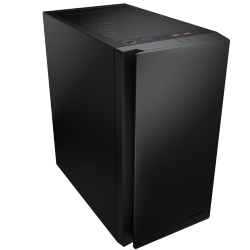
Home Office PC
Intel Core Ultra 7 265, Quiet and Compact
- CPU
- Core Ultra 7 265
- GPU
- Intel integrated graphics
- RAM
- 16GB DDR5
- SSD
- 1TB NVMe
$2,249 $2,999
GAMING COMPUTERS
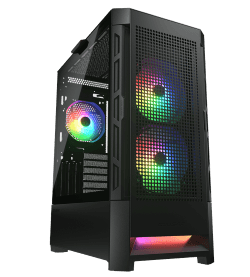
i5 Gaming PC
Intel i5-14400F + RTX 5050
- CPU
- Core i5-14400F
- GPU
- 8GB RTX 5050
- RAM
- 16GB
- SSD
- 1TB NVMe
$1,949 $2,599
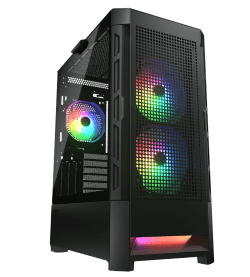
GAMING COMPUTERS
i7 Gaming PC
Intel i7-14700F + RTX 5050
- CPU
- Core i7-14700F
- GPU
- 6GB RTX 5050
- RAM
- 16GB
- SSD
- 1TB NVMe
$1,949 $2,599
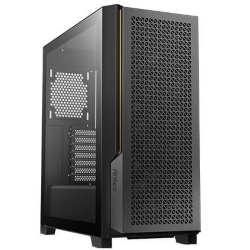
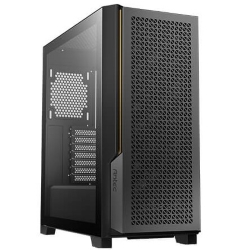
PHOTO EDITING COMPUTERS
PC for Photo Editing
Core Ultra 7 270K Plus, 32GB DDR5
- CPU
- Core Ultra 7 270K Plus
- GPU
- 8GB RTX 5060
- RAM
- 32GB DDR5
- SSD
- 1TB NVMe
$2,999 $3,999
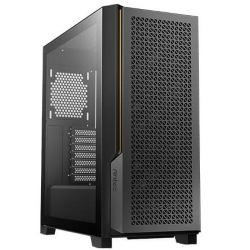
PHOTO EDITING COMPUTERS
PC for Video Editing
i7-14700KF, 32GB, 3TB SSD
- CPU
- Core i7-14700KF
- GPU
- RTX 5060
- RAM
- 32GB
- SSD
- 1TB NVMe
$3,375 $4,500
Why choose a desktop over a laptop
Laptops are great for travel, but for everyday work at a desk, a desktop computer wins on almost every count. You get far more performance for your money, because desktop processors and graphics cards can run faster without overheating. You can connect two, three or even eight monitors. Desktops are easier and cheaper to repair and upgrade, and they usually last years longer.
They are also more comfortable to use. With a proper monitor at eye level, a full-size keyboard and a good mouse, long days at the computer are much easier on your neck, back and wrists.
Find the right desktop PC for you
We have grouped our desktop computers by what people use them for. Start with the job that matters most to you.
Home and office
For email, Microsoft 365, video calls, accounting software and web browsing, our home office PC with an Intel Core Ultra 7 is quick, quiet and compact. If you need more power for heavier multitasking or the odd creative project, the Ultra 7 PC adds 32GB of DDR5, liquid cooling and an RTX graphics card.
Creative work
Photographers will love our PC for photo editing, built for fast Lightroom and Photoshop work. Video editors should look at the PC for video editing, with a 20-core processor and two fast SSDs, or the 24-core i9 PC. If you use AI tools, the AI PC with a Core Ultra 9 and NPU is ready for local AI models.
Design and engineering
For AutoCAD and 2D drafting, the CAD PC with an NVIDIA RTX A400 is excellent value. For Revit, SolidWorks and large 3D models, the CAD workstation offers RTX PRO Blackwell graphics, and the AMD Ryzen PC is a strong option for work and play.
Trading
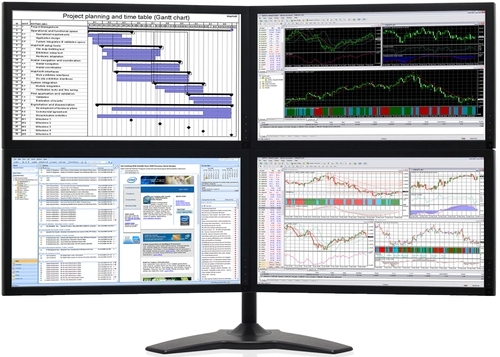
Traders need fast charts across several screens. The share trading computer runs four monitors out of the box, and the trading PC supports up to eight.
Gaming
From the $1,799 cheap gaming PC to RTX 5090 flagships, our gaming computers cover every budget and resolution.
What to look for in a desktop computer
Processor
The processor sets how quickly your computer feels in everyday use. A modern Intel Core i5 or Core Ultra 7 is plenty for office work, while video editing, 3D, programming and heavy multitasking benefit from an i7, i9, Core Ultra 9 or Ryzen 9. You can compare Intel’s current desktop chips on the Intel Core Ultra Series 2 page.
Memory
16GB of RAM is enough for most home and office use. 32GB is better for creative work and gaming, and 64GB or more is worth it for large video projects, CAD assemblies and virtual machines.
Storage
Every system we build uses a fast NVMe SSD, which makes startup and file access dramatically quicker than an old hard drive. If you store lots of photos, videos or games, add a second SSD or a large hard drive for archives.
Graphics
For office work, integrated graphics are fine and keep the system quiet. For gaming, photo and video editing, CAD and AI, a dedicated NVIDIA graphics card makes a big difference. Professional RTX PRO cards are available for certified design software.
Connectivity and noise
Check how many monitors the desktop PC supports, whether it has Wi-Fi and Bluetooth, and how many USB ports you get. Noise matters too, especially in a home office, so look for good cooling and quality fans. Many of our builds use liquid cooling or high performance air coolers to stay quiet.
Desktop computers for students and families
A family desktop has to do a bit of everything: homework, research, online classes, Minecraft, photo albums, tax time and the odd video call with relatives overseas. A reliable desktop PC handles all of that in one place, and it is much harder to drop, lose or spill a drink on than a laptop.
For most households, a system like our home office PC or Ultra 7 PC is a great fit. If the kids are keen gamers, one of our entry-level gaming PCs gives them the graphics power they want while still being a capable machine for school work. Windows 11 makes it easy to set up separate accounts and parental controls for each family member.
How long should a desktop PC last?
A well-built desktop should give you five years or more of reliable service, and often much longer. The key is starting with quality parts and leaving room to grow. A good power supply, an efficient cooling setup and a motherboard with spare memory and storage slots all help a computer age gracefully.
When it does start to feel slow, a desktop is easy to refresh. Adding memory, swapping to a larger SSD or fitting a newer graphics card can give it a second life for a fraction of the cost of a new machine. That flexibility is one of the biggest reasons to choose a desktop computer over an all-in-one or laptop.
Setting up your new desktop PC
Setup is quick. Unpack the computer, connect your monitor, keyboard and mouse, plug in the power and network cable, and switch it on. Windows 11 will guide you through signing in with your Microsoft account. If you are moving from an old computer, copy your files across with an external drive or cloud storage such as OneDrive.
If you have a dedicated graphics card, remember to plug your monitor into the graphics card rather than the motherboard. And if you get stuck at any point, email us and we will walk you through it.
Built in Melbourne, delivered Australia-wide
Every desktop PC we sell is assembled by hand in our Melbourne workshop. We use quality parts, route cables neatly, enable memory profiles, install Windows 11 and drivers, and stress test each system before it ships. It arrives ready to use, so you can plug it in and get started.
We deliver to every state and territory, usually within one to three working days once your system has been built and tested. If you are searching for a desktop PC Australia-wide with real local support, you are in the right place: our Melbourne team is happy to help by email before and after you buy.
Need something custom?
If none of the desktop computers here are quite right, we can build one to your exact needs. Email us your spec, or tell us what software you use, how many screens you need and your budget, and we will send you a quote.
Desktop questions answered
Which desktop PC is best for working from home?
Our home office PC is ideal for most people. It is quiet, compact and fast, supports three monitors, and has Wi-Fi and Bluetooth built in.
Can I upgrade a desktop computer later?
Yes. All of our systems use standard parts, so memory, storage and graphics cards can be upgraded down the track.
Do your desktops come with Windows?
Yes. Windows 11 Home is installed as standard, and Windows 11 Professional is available on most systems.
Do you supply keyboards and accessories?
Many systems offer accessories such as keyboards, mice, speakers and surge protectors as options when you order.
How do I choose between two desktop computers?
Think about the most demanding thing you will do each week, and choose the system that handles that comfortably. If you are still unsure, email us with what you use your computer for and we will recommend the right one.